

Downloading a list of files / urls fully automatically can be a rather tedious and time-consuming task. If you need to download 100 or 1000 files from a list of URLS (photos, movies, images, PDF or other kind of files) you surely need a way to do this job automatically and in 1 click!
First you need to have the list of urls (one url for each line) in a .txt file, as shown in the figure below:
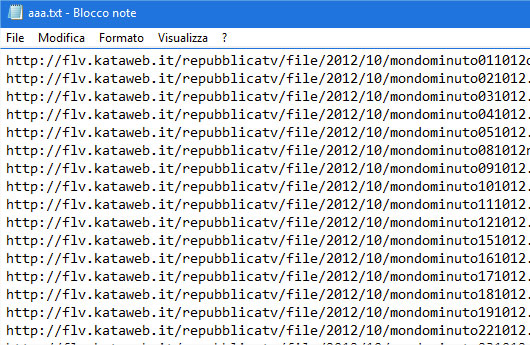
Now you have to use a tool like FileList Downloader. Read on to find out how it works!
Download all files from a list of URL with FileList DWL (for Windows)
FileList Downloader, as the name suggests, it is a small program capable of downloading all the files in a list. The use of the software is really trivial because all you have to do is import the txt file containing the list of URLs and then click on the DOWNLOAD button to start downloading the files (photos, images, video, pdf files, archives, etc.)
You can download the FREE version of the program from the following link:
The program works on all Windows systems. Unfortunately it is not compatible with Mac systems.
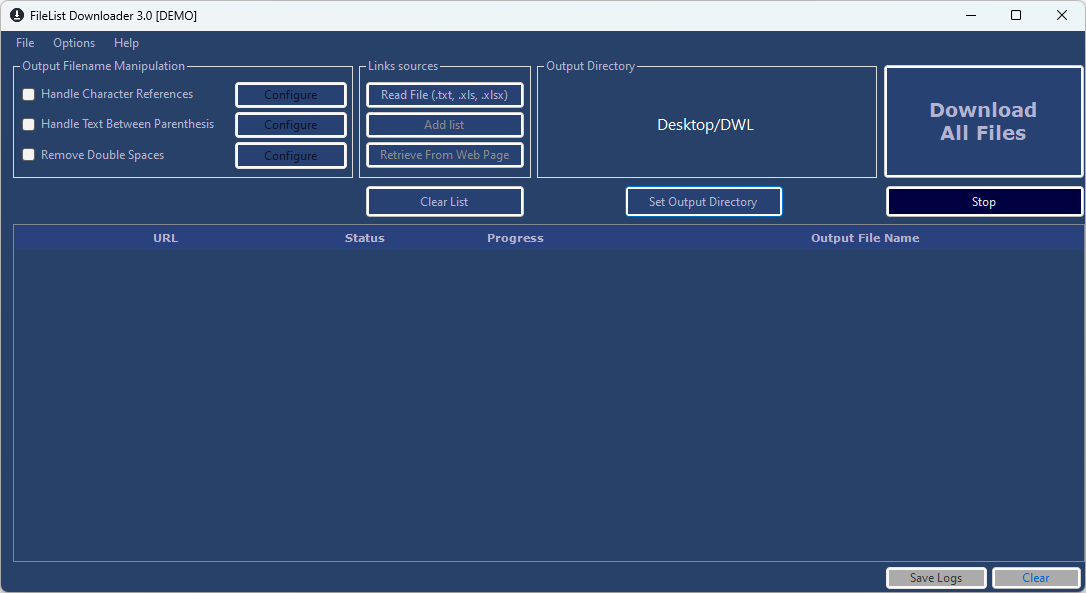
After installing and starting the program you will see the following main screen
The steps to follow to download the files from a list of links are as follows:
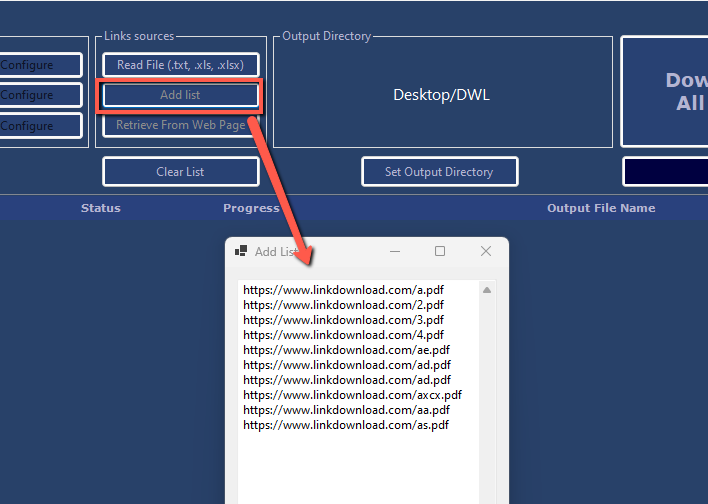
- Press on the READ FILE (.txt) button to load the txt, xls or csv file containing the list of file URLs (photos, images, video, pdf files, etc.). You can also click on ADD LIST to copy and paste the links directly in the program
- Click on Set Output Directory to choose the folder in which to save all downloaded files. Defautly the program will download all files in the Desktop/DWL folder.
- Click on the DOWNLOAD button to the right of the program to start downloading ALL files automatically
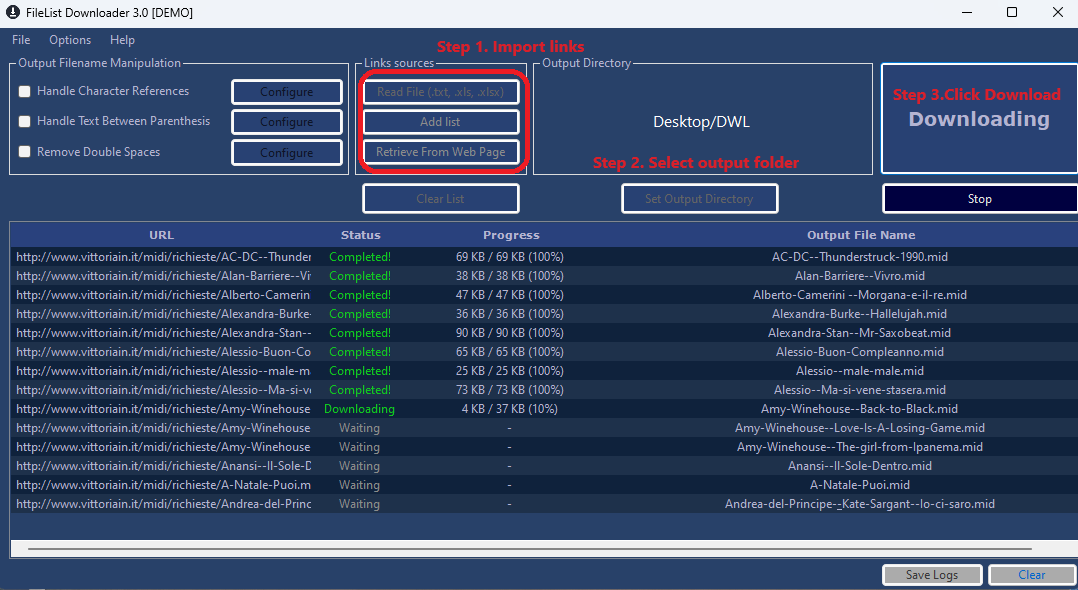
During the download you will see a green Completed! corresponding to the downloaded files. You will also be able to see the size of the downloaded file and the name of the file obtained.
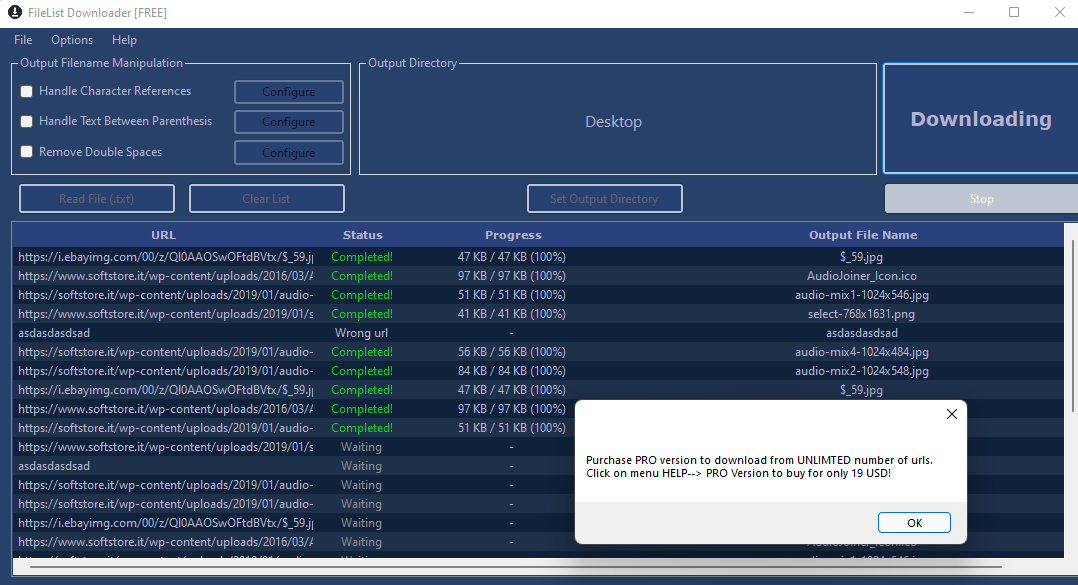
If you have a list with more than 10 URLs / files to download, a screen will open that will invite you to purchase the PRO version (for only 19 €) to be able to download unlimited files. Access the HELP -> PRO VERSION menu to access the purchase page.
At the top left of the program there are also options that you can modify according to your needs. By selecting the “Handle Character References” option, for example, you can check the ASCII encoding so that the link can be viewed and downloaded correctly.
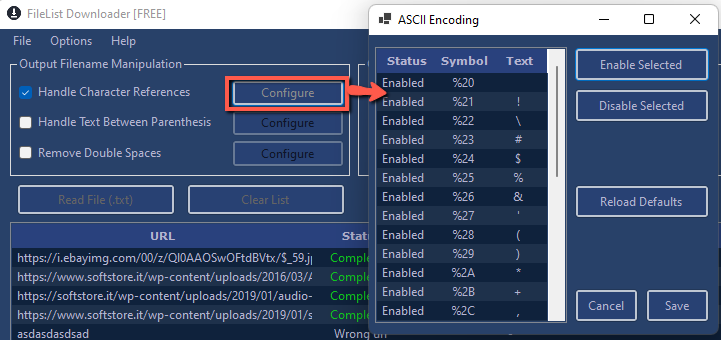
The other available options allow you to manage the text between parentehesis in the link, or remove double spaces in the link itself.
NEW FEATURES
In the latest version of the program (version 3.0) the following interesting features have been added:
1. Possibility to import links from excel and csv files (and not just txt)
2. Possibility to paste the links directly into the software by clicking on ADD LIST
3. Ability to recover all links by inserting a web page URL (useful if you want to download all the files present in a specific online page)

Download all files from URLs with All Links Downloader
All Links Downloader: it’s a chrome extension and an Android app able to download all links and files from any web page. For more info click the image below:
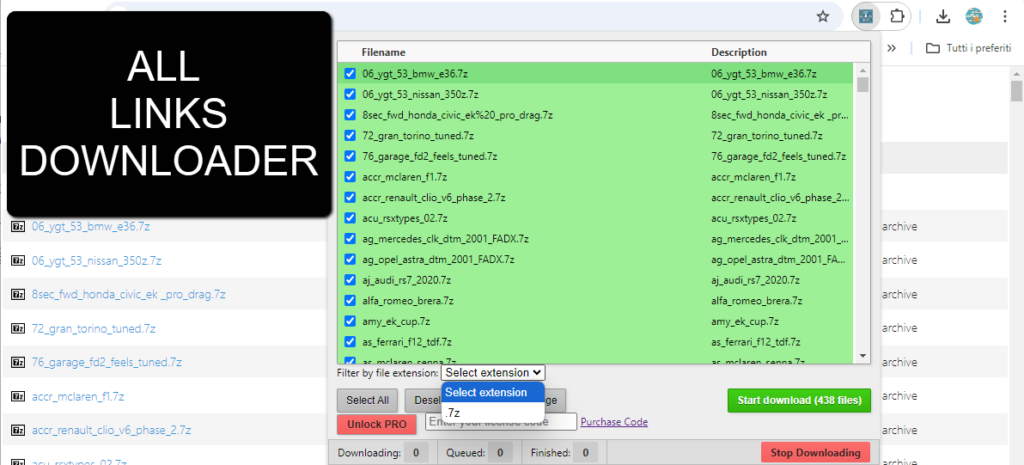
All Links downloader is also able to automatically scan all links present in a web page and then download all that links (files) on your device. It is available as chrome extension (so it works on all chromium browser like chrome, brave, edge, opera) and as Android app, compatibile with all Android smartphones and tabled.

GloboSoft è una software house italiana che progetta e sviluppa software per la gestione dei file multimediali, dispositivi mobili e per la comunicazione digitale su diverse piattaforme. Da oltre 10 anni il team di GloboSoft aggiorna il blog Softstore.it focalizzandosi sulla recensione dei migliori software per PC e Mac in ambito video, audio, phone manager e recupero dati.
comprei a versão pro.. como instalo?-
This is the link of the installer: https://download77.net/download/FileListDownloader.exe
Once installed open it and activate it using the license code you received after purchased.
I have just paid for the “pro” software. How and when will I receive the “pro version”?
Check also in spam folder. If you did not receive it contact developer to webservice2t@gmail.com
Thanks, I’ve received it.
“To run this application you must install NET
Would you like to download it now?”
“Yes”
But then nothing happens.
Check here to fix the issue:
https://answers.microsoft.com/en-us/windows/forum/all/when-clicked-yes-for-pop-up-to-run-this/81d930f8-521e-4606-b347-5a3b2cd99da5
The program gives the following error for this list??
http://trl.trimble.com/docushare/dsweb/Get/Document-286346/022543-063B-I_Infrastructure_BRO_0206_lr.pdf
Error => Forbidden
Try to use https://